Download on MobileScan this QR code with your mobile camera to download directly to your phone.
Carousel Media Items
Recent Downloads
What is IgVideoDown — Instagram Video Downloader?
IgVideoDown is a free, browser-based Instagram downloader that lets you save any public Instagram content directly to your device — no login, no app, and no watermark added. Whether you want to download Instagram Reels, Videos, Photos, Stories, IGTV, or Audio, IgVideoDown handles it all in one place.
Our tool retrieves media at the highest quality available from Instagram's servers. You get the original file — same resolution, same format the creator uploaded — without any re-encoding or compression. The whole process takes under 5 seconds: paste the link, click Download, and your file is ready.
How to Download Instagram Videos in 3 Easy Steps
Save any public Instagram content to your device in seconds — no account, no app, no cost.
Step 1 — Copy the Link Open Instagram, find the video or Reel, tap the share icon (⋯), and select "Copy Link".
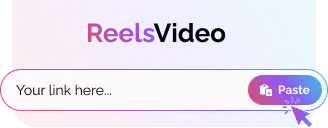
Step 2 — Paste the Link Visit IgVideoDown.com, paste the copied link into the input field above, and tap the Paste button.
Step 3 — Download Click the Download button. Your video, photo, or Reel saves directly to your device in HD quality.
All Instagram Downloader Tools — Free & No Login
Download any Instagram content instantly — videos, photos, Reels, Stories, IGTV, and Audio. All in HD, all for free.
IG Video Downloader
Save any public Instagram video in HD MP4 format without watermarks. Supports single posts and carousel videos.
A fast, secure, and premium Instagram content downloader — built for every device and every user.
No Account Required
Download public Instagram content without signing in or connecting your Instagram account. Stay anonymous.
Original File Quality
Videos and photos are delivered at the highest quality available — same resolution the creator uploaded, zero re-encoding.
100% Browser-Based
No software, extensions, or apps needed. Works directly in your web browser — Chrome, Safari, Firefox, or Edge.
All Content Types
Download Videos, Photos, Reels, Stories, IGTV, Carousels, and Audio from one single platform.
Every Device Supported
Works identically on iPhone, Android, Windows, Mac, and tablets — no additional setup required.
Zero Data Stored
The link you submit is used once to fetch your file and then discarded. We never store your download history.
When to Use an Instagram Video Downloader
Whether you create content, follow trends, or just want to save clips — here are the most common reasons people use IgVideoDown.
Share Reels Without Instagram
Want to share an Instagram Reel with someone who does not use Instagram? Download the video and send it via WhatsApp, Telegram, or email — no Instagram account needed on their end.
Save Trending Videos Offline
Spotted a tutorial, recipe, workout, or creative clip worth keeping? Save it instantly for offline viewing. Perfect for travel or areas with limited connectivity.
Keep Content Before It Gets Deleted
Instagram creators sometimes delete their posts or deactivate their accounts without warning. If you found something worth keeping, download it now before it disappears permanently.
Research & Content Inspiration
Marketers and content creators use IgVideoDown to study trending Reels and video formats for inspiration. Save examples you love and reference them when creating your own content.
How to Download Instagram Videos on Any Device
Step-by-step instructions for iPhone, Android, and PC — no app installation required.
How to Download on iPhone (iOS)
Open Safari and go to IgVideoDown.com. Copy the Instagram link, paste it into the input field, and tap Download. The file saves to your Files app — then tap and hold the MP4 and select "Save to Photos" to move it to your camera roll.
How to Download on Android
Open Chrome and visit IgVideoDown.com. In Instagram, tap the share icon on the video or Reel and select "Copy Link". Paste it into IgVideoDown and tap Download. The MP4 saves automatically to your Downloads folder or Gallery app.
How to Download on PC or Mac
Open any browser and go to IgVideoDown.com. On Instagram's website, click the three-dot menu on the post and copy the link. Paste it into the input field and click Download. The HD MP4 saves directly to your Downloads folder.
Device Storage Paths & Photo App Integration
Find your downloaded Instagram videos and photos on any operating system, with direct instructions for saving into your Camera Roll or Gallery.
Device & Browser
Default Download Folder
How to Move to Photos / Gallery
Supported Playback
iPhone / iPad Safari or Chrome (iOS)
Files app > Downloads (or iCloud Drive Downloads)
Open Files app → Long-press video/photo → Tap Share → Select "Save Video" or "Save Image" to appear instantly in the Photos app Recents album.
Automatically indexed. Open your default Gallery or Google Photos app → Look under the "Download" or "Videos" album.
Gallery AppVLCMX Player
Windows PC / Laptop Chrome, Edge, Firefox, Brave
C:\Users\[Username]\Downloads
Press Ctrl + J in your browser to view downloaded files. Click "Show in folder" to move or edit the file anywhere.
Media PlayerMovies & TVVLC
Mac & MacBook Safari, Chrome, Arc, Edge
~/Downloads (Finder Downloads folder)
Press Option + Command + L or open Finder → Downloads. Drag into Apple Photos or any video editor.
QuickTimePreviewIINA
Technical Specifications — IgVideoDown
Everything you need to know about file formats, quality, and compatibility.
Video FormatMP4 (H.264 / AAC)
Photo FormatJPG (Original Quality)
Audio FormatMP3
Max ResolutionUp to 1080p (Source)
Processing Time2–5 Seconds
WatermarkNone — Zero Added
Download LimitsUnlimited & Free
Browser SupportChrome, Safari, Firefox, Edge
Instagram Media Formats & Specifications Breakdown
IgVideoDown extracts each content type in its native container format to ensure 100% device compatibility and zero compression loss.
Content Type
File Container & Codec
Max Resolution & Aspect Ratio
Availability Lifespan
Watermark Status
Instagram Reels
MP4 (H.264 video, AAC audio)
1080 × 1920 px (9:16 Vertical HD)
Permanent (until creator removes)
0% Added Watermark
Feed Videos
MP4 (H.264 / AAC)
1080p Full HD (1:1 Square, 4:5 Portrait, 16:9 Landscape)
Permanent (until creator removes)
Clean Original File
Instagram Stories
MP4 (video) / JPG (photo)
1080 × 1920 px (Full-screen mobile)
24 Hours (Disappearing)
No Watermark
Story Highlights
MP4 / JPG (per slide)
1080 × 1920 px (Original upload quality)
Permanent on public profile
Individual Slide Files
Photos & Carousels
JPG (original RGB)
Up to 1080 × 1350 px (Full uncompressed image)
Permanent (until creator removes)
Full Resolution JPG
Reel & Video Audio
MP3 (MPEG-1 Audio Layer III)
Stereo 44.1 kHz, up to 320 kbps
Permanent offline audio file
Clean Audio Stream
Best Free Instagram Video Downloader 2026
IgVideoDown is the fastest, most reliable Instagram downloader available in 2026. Unlike other tools that re-encode your video before delivering it — quietly reducing resolution or adding compression artifacts — IgVideoDown delivers the media file at its original publicly available quality. No upscaling, no lossy processing, no hidden steps between your paste and the final download.
The tool works for all public Instagram content types: Reels, standard Videos, Photos, Carousel posts, Stories, IGTV, and Audio. You do not need to install anything, create an account, or provide your Instagram credentials at any point. Simply paste the link from any public post — with or without tracking parameters, shortened or full URL, copied from the app or the browser — and IgVideoDown delivers a working file.
Can you download private Instagram videos? No — and no legitimate tool can. Instagram protects private accounts at the server level. Any site claiming to bypass this is either misrepresenting what it does or asking for your account credentials, which puts your account at serious risk. IgVideoDown works exclusively with public content — we treat privacy settings as absolute.
Instagram Downloader Solutions & Search Guides
In-depth answers for the most popular Instagram downloading features and queries.
Instagram Video Download Without Watermark (4K & HD)
Unlike screen recordings or other tools that stamp branded logos onto saved files, IgVideoDown delivers the original MP4 video without adding any watermark or logo overlay.
Source Quality: Videos are saved at the creator's full uploaded resolution — including 1080p Full HD and source 4K clips — with original AAC audio tracks preserved for crystal-clear playback.
Instagram Photo Download Full Size & Profile Picture
Taking screenshots lowers photo resolution and captures phone interface clutter. Our Instagram Photo Downloader saves single pictures and multi-photo carousel albums at full uncompressed size (up to 1080px wide).
Full Dimensions: Public profile pictures and posts are delivered as clean JPG files with authentic color depth, eliminating circular crops and screen-capture compression.
Instagram Downloader Story Viewer — Watch Anonymously
Looking to browse stories without appearing on the creator's viewer list? Our built-in Instagram Story Viewer lets you view active public stories anonymously online in your browser.
Preserve Stories: Instagram Stories expire after 24 hours. Use our Story Downloader to save vertical video and photo slides to your phone before they disappear.
IG Downloader Extension for Chrome vs. Web Downloader
Many users search for an "IG Downloader extension for Chrome", but browser extensions often request intrusive permissions to read your browsing data and can slow down your browser.
Why Web is Better: IgVideoDown works directly in Chrome, Safari, Edge, and mobile browsers with zero extensions to install, zero permissions required, and no risk of malicious extension updates.
Troubleshooting Common Instagram Download Issues
Actionable diagnostics and quick solutions for the most frequent Instagram download errors.
Invalid or Unrecognized Link
This occurs when pasting an account profile URL (e.g., instagram.com/username) or a search hashtag instead of a specific post link.
Solution: Open the exact post or Reel → Tap the Share icon (paper airplane) or three dots (…) → Tap "Copy Link". Valid links start with instagram.com/p/, instagram.com/reel/, or instagram.com/stories/.
Private or Restricted Account
Instagram strictly locks content from private profiles behind authenticated follower sessions at the server infrastructure level.
Solution: IgVideoDown operates without requesting your Instagram password, and respects privacy restrictions. Only public Instagram content can be downloaded. Beware of third-party websites claiming to bypass private accounts.
Story Expired (24-Hour Timer)
Standard Instagram Stories are programmed by Instagram to delete automatically exactly 24 hours after publication.
Solution: Always save active Stories promptly before their 24-hour expiration. If the Story has already expired, check if the creator added it to their profile Highlights, which remain downloadable permanently.
Video Plays Instead of Downloading
Certain mobile browsers (such as iOS Safari or Chrome on older Android versions) trigger default in-browser media playback for direct MP4 links.
Solution: On mobile, tap and hold (long-press) the Download button → Choose "Download Linked File" or "Save Link". On desktop, right-click the button → Select "Save link as...".
Multi-Slide Carousel Posts
Carousels contain multiple images and video clips grouped together under a single URL, requiring per-item extraction.
Solution: Paste the carousel post link into IgVideoDown. Our engine parses the album and displays individual download buttons for each picture and clip in the carousel, so you can save whichever slides you need.
Regional or Music Copyright Block
Some Instagram videos feature commercial music tracks that are licensed for playback only in certain countries or have been muted by Instagram.
Solution: Check that the video plays with sound in your official Instagram app. If the creator uploaded with regional audio restrictions, the video stream remains downloadable while the restricted audio may be muted.
Privacy, Security & Responsible Use Policy
How IgVideoDown safeguards your privacy and guidelines for ethical, legal media archiving.
Zero-Credential Privacy Architecture
IgVideoDown is free and requires no account. You are never asked to enter your Instagram username, password, email address, or personal credentials. We do not maintain user accounts, do not track personal download histories, and do not store copies of downloaded media files. You simply paste a public link, and the file downloads directly to your device.
Copyright & Fair Use Guidelines
IgVideoDown is designed for personal, non-commercial offline backup and viewing purposes (such as saving educational tutorials, personal creative reference libraries, or workout routines for travel without internet connectivity).
Respect Creator Ownership: All intellectual property and copyrights remain the exclusive property of the original creator or copyright holder.
No Commercial Redistribution: You may not re-upload, sell, or commercially exploit downloaded media without express written permission from the content owner.
Attribution: If referencing content in fair-use educational or review contexts, always credit the original Instagram creator handle.
User Reviews & Ratings
What our users say about downloading Instagram videos, Reels, and photos with IgVideoDown.
"Outstanding downloader! Extremely fast and preserves the full HD quality of Reels. Literally takes 3 seconds. Highly recommended!"
S
Sarah K.
"I love that this tool requires absolutely no login. I can download stories and photos anonymously without entering my Instagram details."
M
Mateo R.
"Works flawlessly on my iPhone. Most downloaders don't support iOS Safari properly, but IgVideoDown is fully responsive and super easy."
J
Jessie L.
"The MP3 downloader is fantastic for saving background music from Reels. Clear quality and instant conversion. 5 stars all the way!"
Frequently Asked Questions
Everything you need to know about downloading Instagram content with IgVideoDown.
IgVideoDown downloads Instagram videos with zero watermark. Paste the link, click Download, and the file arrives unchanged in the exact quality Instagram stored it — no branding added, no re-encoding applied. Works on any device or browser.
Open Safari on your iPhone and visit IgVideoDown.com. Copy the Reel link from Instagram, paste it into the input box, and tap Download. The file saves to your Files app — tap and hold the MP4, then select "Save to Photos" to move it to your camera roll.
Open Chrome and go to IgVideoDown.com. In Instagram, tap the share icon on the Reel and select "Copy Link". Paste it into the input field and tap Download. The MP4 saves automatically to your Downloads folder and appears in your Gallery app.
Videos and Reels are downloaded in MP4 format. Photos are saved in JPG format. Audio is extracted as MP3. All files are delivered at the highest quality available from Instagram's servers.
No. IgVideoDown only works with content from public Instagram accounts. Private accounts are fully protected by Instagram's privacy system. Any tool claiming to bypass this is unsafe — we never request your Instagram credentials.
IgVideoDown works on any device — iPhone, Android, Windows PC, Mac, or tablet — using any modern browser including Chrome, Safari, Firefox, and Edge. No app or extension installation is needed.
Downloading public Instagram content for personal, offline viewing is generally permitted in most regions. However, you should never re-upload downloaded content or use it commercially without the original creator's explicit permission.
No. There are absolutely no download limits. You can save an unlimited amount of Instagram content for free — no daily cap, no speed throttling, no subscription required.
If the video starts playing instead of downloading, right-click (or long-press on mobile) on the video player and choose "Save Video As..." or "Download Video As..." to save it to your device.
Yes — 100% safe and completely free. IgVideoDown never asks for your Instagram login, stores no download history, and collects no personal data. All connections run over HTTPS. No registration, no subscription, no hidden charges.
Yes. When you paste the link of an Instagram carousel post (an album containing up to 10 or 20 photos and video slides), IgVideoDown extracts each individual slide. You can preview all items and download each photo in full-resolution JPG or video in clean HD MP4 separately.
To download a public Highlight, open Instagram and view the Highlight on the creator's profile. Tap the three-dot menu on the specific slide you wish to save and choose "Copy Link". Paste that link into IgVideoDown and click Download to save the original high-resolution photo or video file.
No. Instagram does not send any notification or alert to account owners when their public Reels, videos, or posts are downloaded through IgVideoDown. Because downloads work directly in your browser without logging in to an Instagram account, your personal profile is never exposed or connected to the download.
This message typically appears if: (1) the Instagram post was deleted or archived by the creator; (2) the account was switched to private; (3) the link belongs to a standard Story that expired after 24 hours; or (4) the URL was copied incorrectly. Ensure the post is publicly accessible in a web browser, copy the direct post link again, and re-try.
Creator Resource Guides & Video Specs
Master aspect ratios, algorithms, viral storytelling, and legal audio rules.